
With the Placeloop mobile application, you can easily share content: either by using content provided by your partner brands or by creating your own posts.
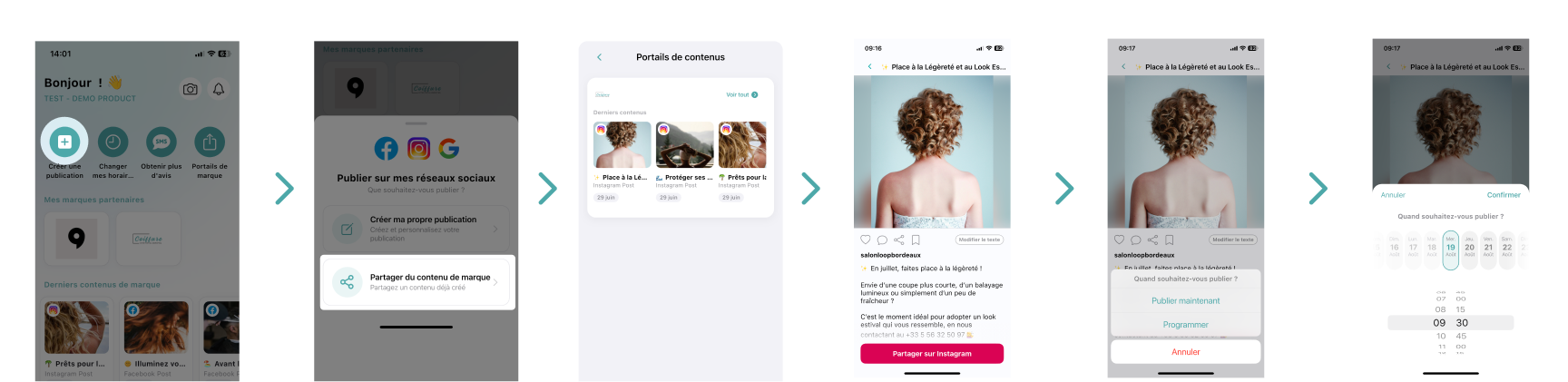
Share brand content
From the home page, click on Create a post.
Select Brand content.
Choose the partner brand you are interested in:
Swipe from right to left through the latest content, then click on Share or Schedule for later.
Or click on the brand name to access all its content, then select Share or Schedule for later.
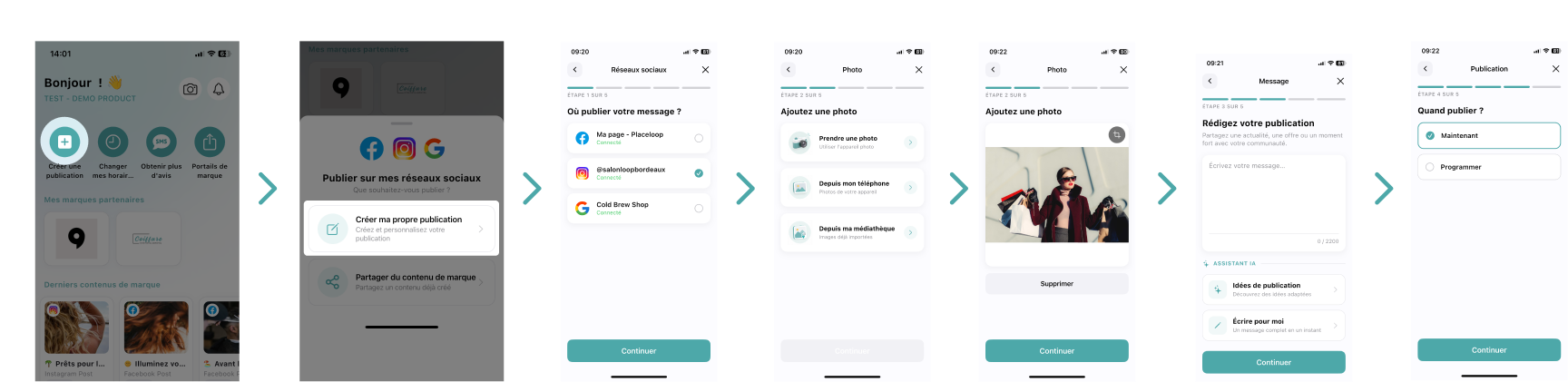
Create your own post
From the home page, click on Create a post.
Select Create my own post.
Choose your communication channel(s).
Write your caption (or get help from AI).
Select a photo.
Click on Share or Schedule for later.
Good to know
Your posts are published directly on the social networks connected to your Placeloop account.
Scheduling allows you to plan your content in advance and save time on a daily basis.

Was this article helpful?
That’s Great!
Thank you for your feedback
Sorry! We couldn't be helpful
Thank you for your feedback
Feedback sent
We appreciate your effort and will try to fix the article